SPI Paint
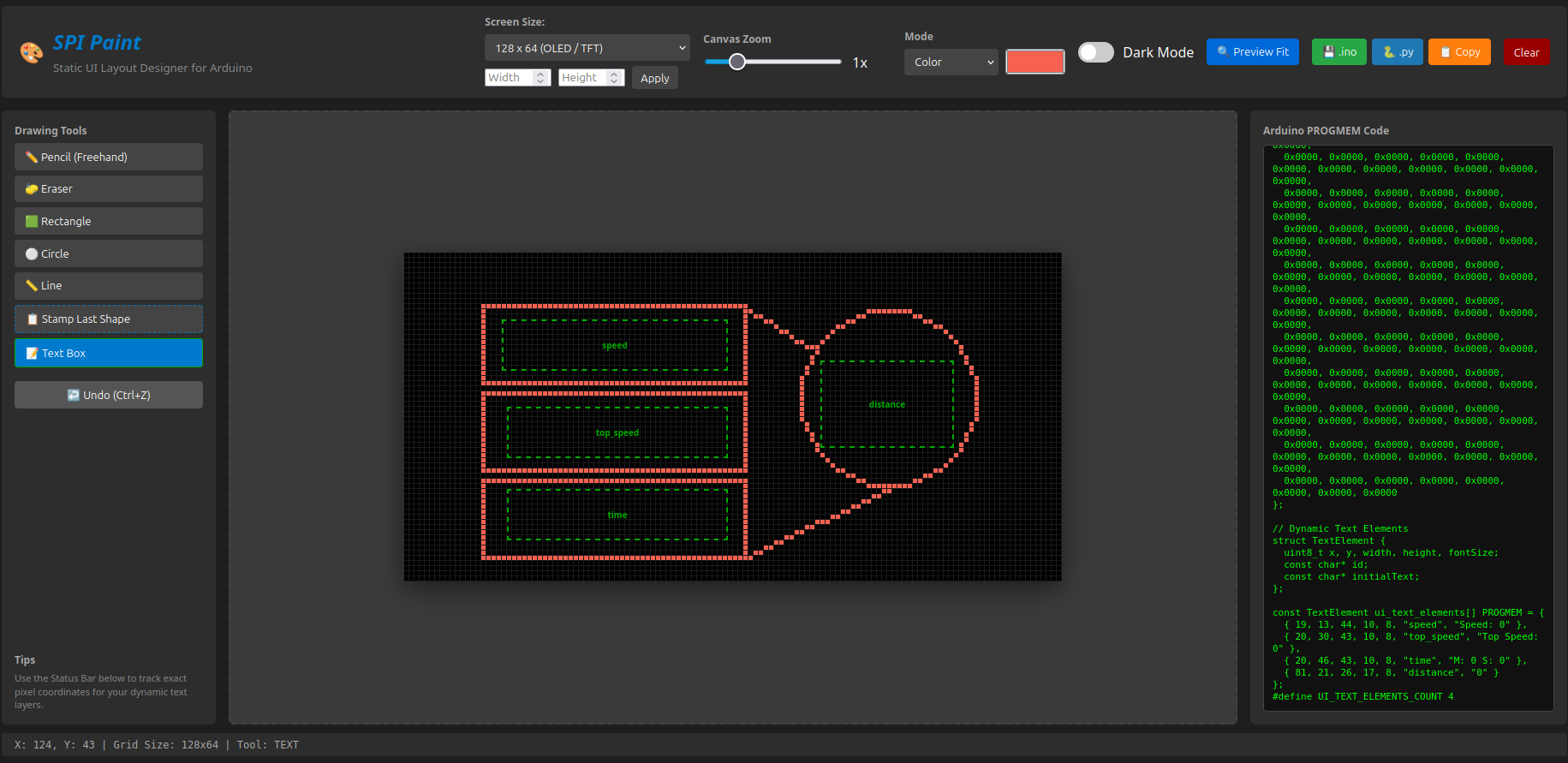
SPI Paint is a lightweight, single-file GUI and dashboard designer built specifically for microcontrollers. It bridges the gap between hardware and interface layout by operating like a retro, pixel-grid paint tool rather than a complex drag-and-drop programming environment. Designed to simplify embedded UI design, SPI Paint allows you to quickly sketch the static elements of your screen—like borders, framing shapes, lines, and custom graphics nodes—leaving you free to handle your live sensor data tracking in code.
Core Features:
Retro Canvas Painting: Freehand pencil, eraser, and classic geometric shape tools (rectangles, circles, and straight lines) mapped to pixel coordinates.
Smart Shape Stamping: Draw a custom-sized circle or box once, click stamp, and instantly drop identical copies anywhere on your canvas grid.
Dynamic Text Anchor Nodes: Label and drop dynamic data placeholders directly on your layout to generate precise anchor coordinate metrics.
Multi-Platform Code Generation: Instantly outputs code arrays optimized for Arduino C++ (PROGMEM), Raspberry Pi Python (Pillow/luma), or copies raw SPI hex values directly to your clipboard.
16-Bit RGB565 Color Support: Toggle seamlessly between high-contrast 1-bit monochrome and full 16-bit hardware color modes with customizable background and line pickers.
Note: SPI Paint is designed as a lightweight layout companion to jumpstart your UI builds, not a complete GUI state framework. It is mostly intended to handle the tedious pixel-mapping of static elements so you can focus entirely on your core hardware firmware.
Download
Install instructions
Simply run this in browser, or download and run the .html file if you need to access it offline as well.